Elastic Audio
The elastic audio function of pro tools is extremely helpful for refining a musician’s performance on a recording. This feature allows you to move moments in musical time without ruining the integrity of the audio. For example, if a drummer’s back beat is inconsistent, elastic audio can be used to realign them with the rest of the performers.
To begin working with elastic audio, you must enable the drop down box in the edit window views of the tracks, then change the track view to “Warp”. Once this is done, the track should look something like this.
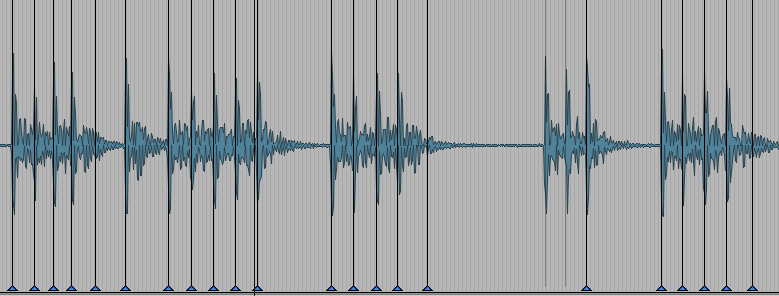
The blue triangles will appear after you begin moving around the transients. Be careful! If the simply click a transient and begin to move it, the audio will be stretched in relation to the beginning and end of the track this will cause other places to become misaligned. To more effectively and efficiently move transients, shift click. This will add a marker to the two transients on either side of the one you want to move. These will act as “anchors” so the audio does not affect other parts of the track.
(Quick Tip: When realigning parts try to use other tracks and use their transients as a reference. Or change to to bars and beats counter if the track was recorded to a click.)
Steven Slate Drums Trigger 2
The SSD, or Steven Slate Drums Trigger 2 plug-in is an incredible tool for enhancing poor and amazing recordings alike. Similar to elastci audio, the SSD plug-in will automatically detect the transients on a track. The senstivity of this detection can be tweaked within the plug-in. By detecting these transients, SSD can be used to replace them with a library of sampled drums sounds, or you can insert your own. Multiple sounds can be mixed together to create any sort of sound like on this kick drum track.
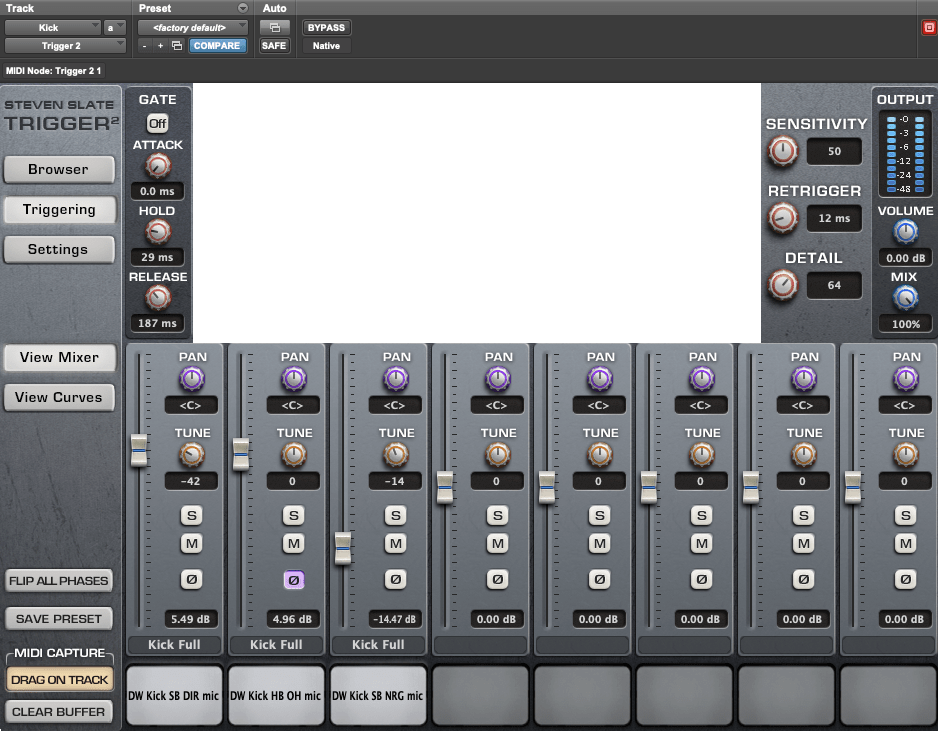
These three sounds mixed together produced a tight and idiomatic sound. I used a similar method to create a snare sound.
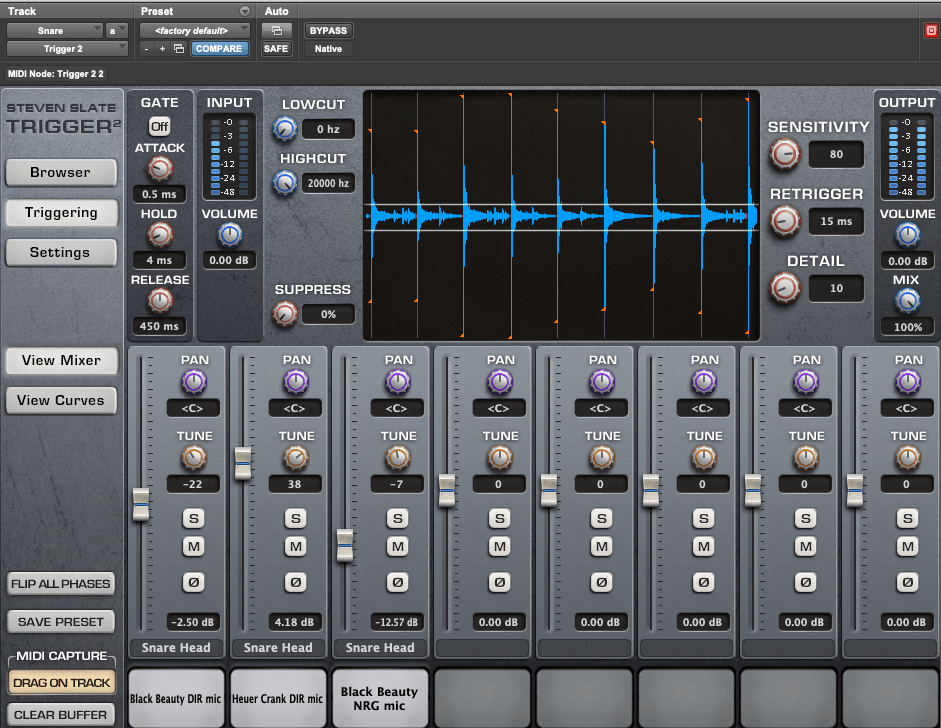
These two functions are great for refining a mix. Though I mainly talked about the uses for drums, elastic audio can be used on any audio track imported into pro tools.
Here’s a bounce of the final mix!
Happy Mixing!
 Eli Shapiro MUS410 Advanced Blogging Techniques